dissabte, 21 de setembre del 2019

obtener los enlaces de la página donde estamos

Navegando en Chrome, nos puede interesar obtener todos los enlaces de una pàgina Web.
  1. botón derecho del mouse o  Ctrl+Mayúscula+I
  2. Inspecciona
  3. Console

allí pegamos:
urls=$$('a');for (url in urls) console.log (urls[url].href);

en EXCEL nos quedamos sólo con los enlaces.
y luego, para crear links concatenamos celdas de forma que nos quedarà algo como:

si añadimos al código html br

hará un salto de línea


dimarts, 10 de setembre del 2019

Check Your Computer's Performance

Check Your Computer's Performance

in order to get the computer's performance, we will proceed through the cmd (command prompt on the OS/2 and Windows NT families )

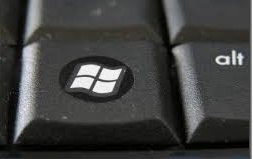
Press the windows key 

and then write cmd. Press INTRO (on next steps I will miss INTRO as you know it is the way to Execute the command)

Then write the command systeminfo

You will see the screen in black as old-computer-fashion (MS-DOS).


Label of a UMTS router with MAC addresses for LAN and WLAN modules
On Wiki you will find what's MAC address:
media access control address (MAC address) of a device is a unique identifier assigned to a network interface controller (NIC). For communications within a network segment, it is used as a network address for most IEEE 802 network technologies, including EthernetWi-Fi, and Bluetooth. Within the Open Systems Interconnection (OSI) model, MAC addresses are used in the medium access control protocol sublayer of the data link layer. As typically represented, MAC addresses are recognizable as six groups of two hexadecimal digits, separated by hyphens, colons, or no separator (see Notational conventions below). 

In cmd you will get the MAC nr through command getmac

Check the data and fulfill the spread-sheet.


Test the processor (speed) through a C++ program

the program attached below shows the 100 prime numbers. This calculation could be a mean for checking the processor speed to operate:

Write the next program (source) and run it on c++ compiler installed in your computer:

#include
#include
using namespace std;

int main()
{
clock_t start, end;

start = clock();

    for (int i=2; i<100 b="" i="" nbsp="">
    {
        bool prime=true;
        for (int j=2; j*j<=i; j++)
        {
            if (i % j == 0) 
            {
                prime=false;
                break;    
            }
        }   
        if(prime) cout << i << " ";
    }


end = clock();

cout << "\n\nTime required for execution: "
<< (double)(end-start)/CLOCKS_PER_SEC
<< " seconds." << "\n\n";
return 0;
}

In case that your computer doesn't have installed C++ compiler, you can proceed through a online compiler (be awared results will be submitted to network speed, anyway you will be able to compare the results between). 

Get time values for 100, 2000, 4000, 8000, 16000 prime numbers and write them on the Form.

Copy to clipboard 

Copy to NOTEPAD (you can execute the same as CMD)
Save the file with you FirstSurname_Name
Send the file to your Drive. Attach the link to the file into the Form

dimecres, 7 d’agost del 2019

Dev C++

l'enllaç mostra un vídeo per carregar la llibreria graphics.h en entorn Windows10

// C++ program to draw an Ellipse 
// rotating over a Circle using graphics 

#include  
#include  
#include  
#include  
#include  
#include  

using namespace std; 

// Ellipse drawing function 
void drawEllipse(int xc, int yc, int a, int b, 
float alpha, int color) 

float t = 3.14 / 180; 
alpha = 360 - alpha; 
setcolor(color); 
int theta; 

// Filling each pixel corresponding 
// to every angle from 0 to 360 
for (int i = 0; i < 360; i += 1) { 
theta = i; 
int x = a * cos(t * theta) * cos(t * alpha) 
+ b * sin(t * theta) * sin(t * alpha); 

int y = b * sin(t * theta) * cos(t * alpha) 
- a * cos(t * theta) * sin(t * alpha); 

putpixel(xc + x, yc - y, color); 


// Function to calculate the position 
// of ellipse after each rotation 
void slidePattern(int xc, int yc, int r, int a, int b, 
int alpha, float p, int color) 

setcolor(color); 
float t = 3.14 / 180; 
float t1, t2, d; 
float angle = (p * alpha); 

// Calculation for center of Ellipse 
t1 = cos(t * fmod(angle, 360)); 
t2 = sin(t * fmod(angle, 360)); 
t1 *= t1; 
t2 *= t2; 
t1 = t1 / (a * a); 
t2 = t2 / (b * b); 
d = sqrt(t1 + t2); 
d = 1 / d; 

int draw_x = xc + (r + d) * cos(t * alpha); 
int draw_y = yc - (r + d) * sin(t * alpha); 
int draw_ang = angle + alpha; 

drawEllipse(draw_x, draw_y, a, 
b, draw_ang, color); 


// Function to increment the angle 
// of rotation 
void ellipseovercircle(int xc, int yc, 
int r, int a, int b) 

float theta = 0; 
double h, p1; 

// Calculating the ratio of 
// perimeters of Ellipse and Circle 
h = (a * a) + (b * b); 
h /= 2; 
p1 = sqrt(h); 
p1 /= r; 
p1 = 1 / (p1); 

// by decreasing theta we can 
// move Ellipse clockwise 
for (;; theta -= 1) { 

// Draw Ellipse at new location 
// using White color 
slidePattern(xc, yc, r, a, b, 
theta, p1, WHITE); 

circle(xc, yc, r); // Drawing Circle 
delay(25); // Introducing delay 

// Erase the existing Ellipse 
slidePattern(xc, yc, r, a, b, 
theta, p1, BLACK); 


// Driver code 
int main() 

// Initialize graphics function 
int gd = DETECT, gm; 
initgraph(&gd, &gm, ""); 

// maximum X-coordinate for the window 
int maxx = getmaxx(); 

// maximum Y-coordinate for the window 
int maxy = getmaxy(); 

// Start drawing from the mid of the screen 
ellipseovercircle(maxx / 2, maxy / 2, 
100, 40, 28); 


closegraph(); 
return 0; 


diumenge, 14 de juliol del 2019

Document desat en un USB (solament) i que ha desaparegut

en el malaurat cas en què no trobem un document que vàrem desar en un USB, sembla ser que hi hauria alguna opció de recuperar el que hi ha al llapis electrònic seguint els passos que ens indica en el link.
Sort!

dijous, 27 de juny del 2019

Kennelly: memorizar las fórmulas para pasar de triángulo a estrella y de estrella a triángulo

He buscado una regla mnemotécnica para recordar las fórmulas de Kennelly y creo que lo he encontrado. Si os sirve, perfecto!
Se trata de visualizar nada más y nada menos que la bandera de Filipinas. Habrá que recordar, además de lo de Filipinas, que hay que colocarla boca-abajo...

Las letras griegas las he editado con PAINT y las entro con Alt+... según códigos